
Expansion with the Omni SUI Nut Tool
The Omni Removal Tool (SUI Nut Tool) is used to remove the Omni from the top tube. The original Stromer price is 75 €. At Van Zijp technology Is there the tool for €7.63?.
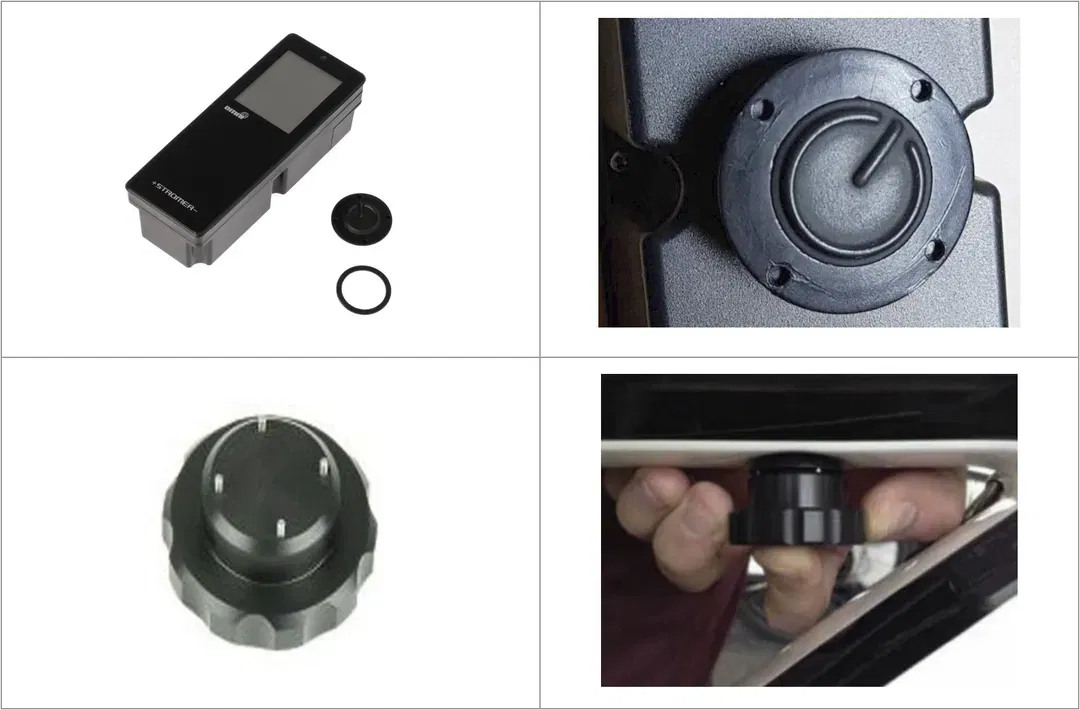
Alternatives
1: Take a wooden strip and two or four nails (e.g. picture nails) and make one.
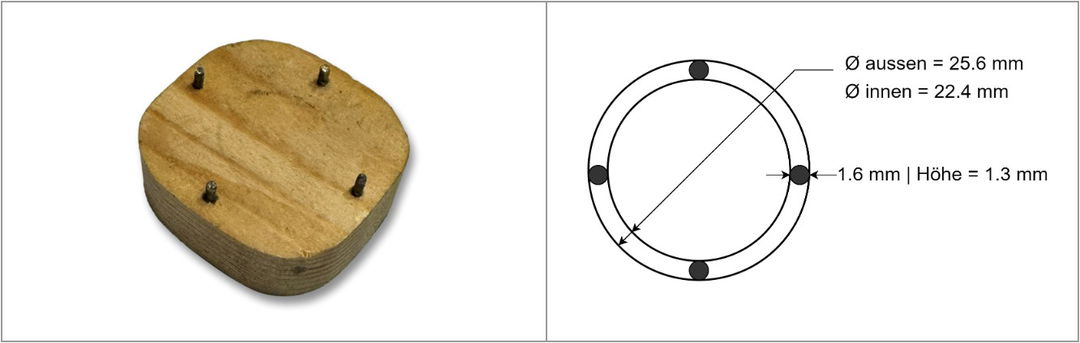
2: If you have a 3D printer...the STL file is available here.
3: The expansion can also be done with a 1.5mm Allen key. To do this, press the Omni slightly at the edges from above and insert the Allen key into one of the four indentations and turn counterclockwise – to the left when viewed from below.
See also: „Stromer How-To Videos / Guides“ –‚OMNI C - Upgrade kit - Installation - 06/2018'
Installation
When installing, ensure that the rubber seal is correctly mounted towards the frame. It has a small lug on one of the upright sides. This must be at the bottom left in the direction of travel. There is also a small recess in the Omni housing that receives this lug. The seal can be considered Spare part relate.

When tightening the Omni Button, be careful not to overtighten it, as this can result in the button breaking. In fact, tightening it with two fingers by hand is sufficient.