
In addition to the battery indicator in [%], Stromer also offers an indicator in remaining kilometers [km] in the Omni. In the Omni menu under BIKE → SETTINGS → BATTERY → „Charge level,“ you can choose between the indicator in [%] or [km].
Accuracy [km]:
In the [km] variant, the Omni displays the estimated achievable range when switched on. This is based on an estimate that the Omni derives from accumulated past experience. The procedure is similar to that in e-cars: there too, the onboard computer calculates a range estimate from various experience and current measurement values – such as the outside or battery temperature.
This estimate is known to be unreliable. Only by driving does the estimated value approach the actually achievable range, by including current driving parameters. This is also the case with the Omni:
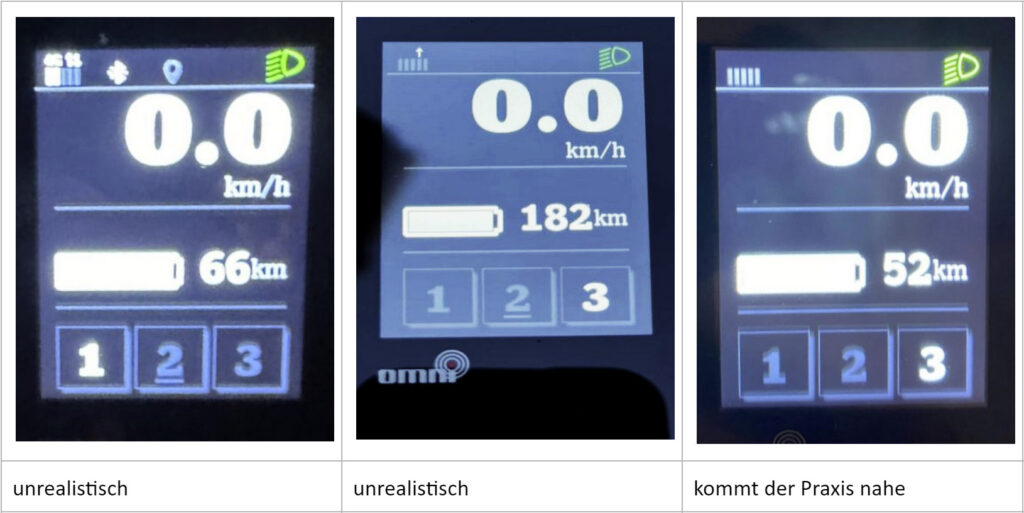
My practice
The [km] display is too erratic for me. I drive my ST3 with the [%] display. After a few 10,000 km, I know very well whether I'm driving home or have to walk – or whether and when I need to reduce the support to drive home.