
Stromer offers via the Service menu under „BATTERY“ an option to check the battery's status messages. Under „SELF_CHECK“ the following parameters are displayed. Ideally, everything here should say „ok“.
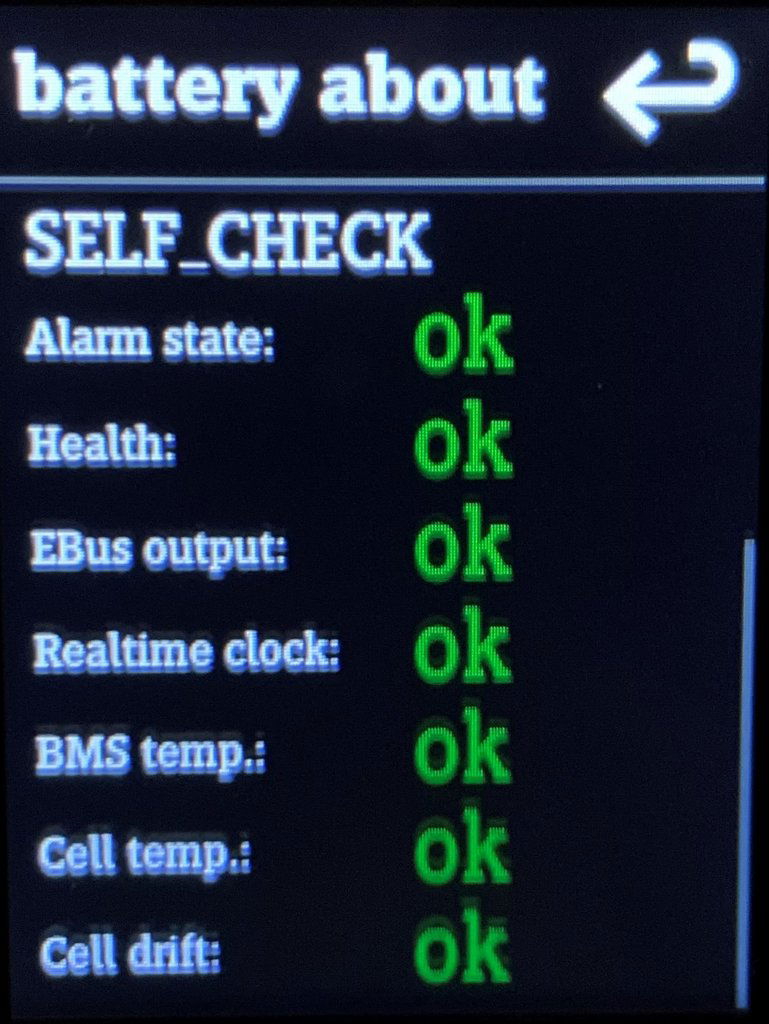
Error messages and error patterns
Alarm state: not OK
If there's something wrong with the battery, there's usually an error message and corresponding information in „battery about“. When the Error combination E 210003 or E 21041A; W 210100 or E 21041C and in case of a support failure, the battery can be checked here.
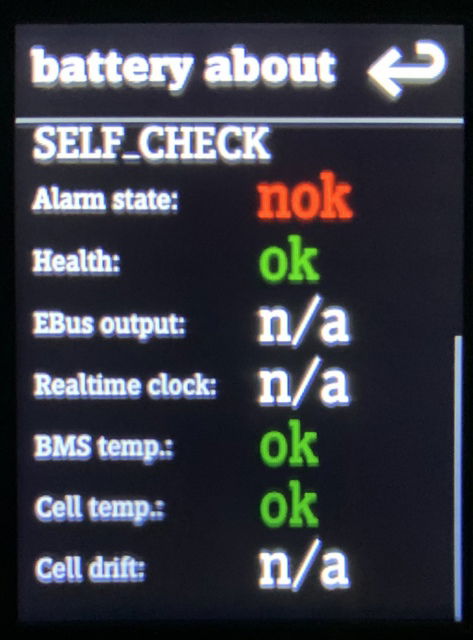
nok = not OK
n/a = not available
The error pattern indicates a problem with the contacts of the Rosenberg connection between the battery compartment and the battery. How this can be fixed is described, among other things,. here.
Alarm state: ok
The following error pattern is peculiar. The alarm state and health are indicated as „ok.“ However, „EBus output,“ „Realtime clock,“ and „Cell drift“ show „n/a.“.
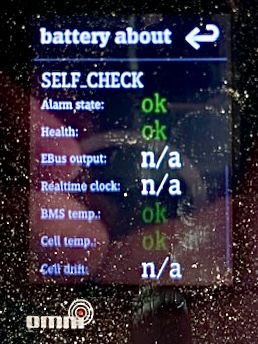
The error indicates a communication problem with the CAN bus. In the case shown, it manifested as follows:
- No headlights or taillights.
- No horn
- No support
The sensors, battery ejector, Omni, and USB output on the daytime running light worked because they are powered by 12 V from the battery.
The defect in this case was not the battery, but the Wicket Cable and the controller. As a result, the battery could not communicate with the Omni.
PROTECTION – SUI EBus Lock: nok
In the battery self-check, there is also the „PROTECTION“ section. Three checks are displayed here: „SUI EBus lock,“ „Short circuit,“ and „Over current.“ If a flag is set to „nok,“ the error could be due to one of the Stromer components (controller, front light, wiring harness, etc.).
Test the components with the System Integration Test (SIT) or Test Runner in the service menu. Possible errors include a short circuit, a malfunction of the controller or another component communicating via the CAN bus.
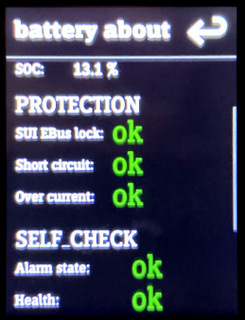
If the battery shows „nok” under PROTECTION in SUI EBus lock, a switch may appear with which you can clear the status.
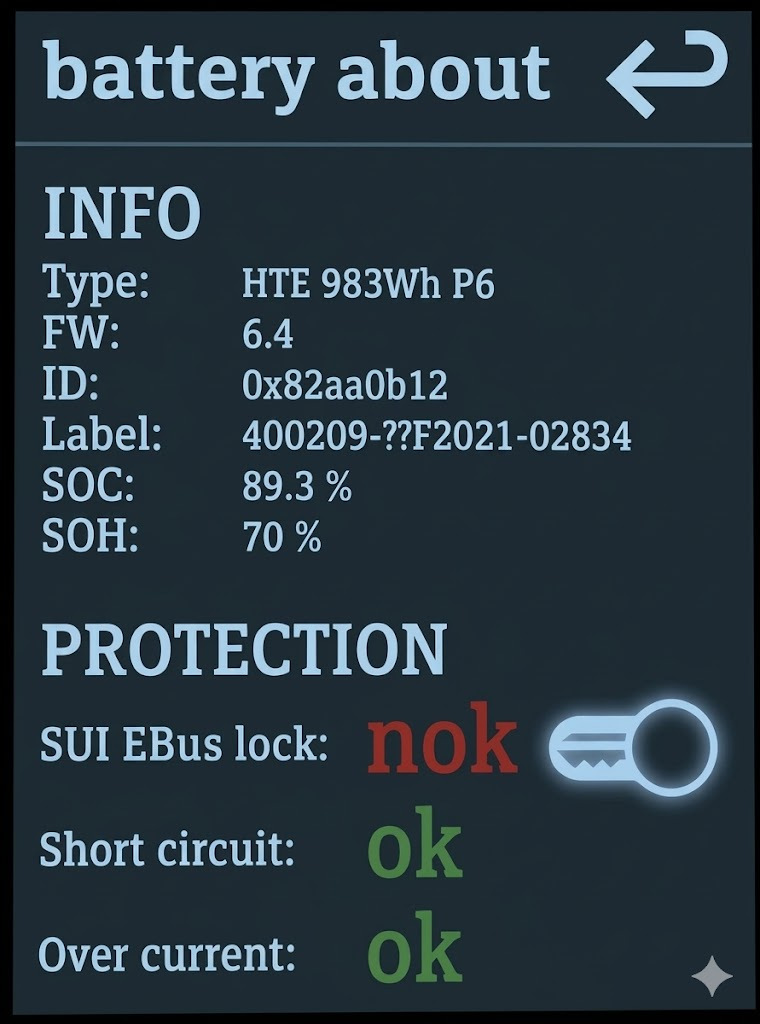
Before the battery is reinserted, possible causes of error should be checked.
Explanation of terms
Alarm State: Summary of parameters. An external problem – for example, a short circuit in the wiring or a component – can also trigger „nok“.
Health: SoH (State of Health) / Gesundheitszustand): Akkus unterliegen einem kalendarischen und dynamischen Alterungsprozess durch den sich die Kapazität und somit die Leistungsfähigkeit verringert. Der Begriff „State of Health“ (SoH) gibt an wie hoch die noch verfügbare Kapazität eines Akkus im Vergleich zum Nenn- bzw. Neuwert ist und wird in Prozent angegeben. Bis und mit der Firmware SUI 4.5.0.3 wurde der Wert von Stromer maskiert und konnte nur über den Händler in Erfahrung gebracht werden. Ab Firmware SUI 4.5.1.3 (26. August 2025) wird er in [%] im Omni (Bike > System > Über) oder der Omni App angegeben. Der angegebene Wert ist ein Schätzwert des BMS.
EBus output (CAN Bus Communication): The battery communicates with the charger and the power supply via the CAN bus. If there is a problem here – for example, faulty data or a communication interruption – this will be indicated by „nok.“.
Real-time clock CAN controllers use a battery-backed Real-Time Clock (RTC). This allows the absolute date and time to be maintained when the device is not powered. The RTC enables the CAN controller to add absolute timestamps to logged messages.
BMS temperature: Battery Management System – Temperature
Cell temperature (Cell Temperature): If the cell temperature deviates from the normal range, „nok“ or „n/a“ will be displayed here.
Cell drift (Zellen-Abweichung): Bei Cell Drift weicht die Ladung einer oder mehrerer Zellen von den anderen Zellen ab. Dies führt zu Spannungsdifferenzen innerhalb des Akkupacks. Ohne Ausgleich können diese Zellen überladbar oder zu früh erschöpft sein, was zu Defekten oder Sicherheitsrisiken führt.
Das Batteriemanagementsystem (BMS) gleicht diese Unterschiede in der CV-Phase (Constant Voltage = Konstant-Spannung) des Ladevorgangs, also zwischen ca. 80–100% Ladezustand, aus. Beim sog. Balancing werden stärkere Zellen langsam entladen, bis alle Zellen die gleiche Spannung haben.
Ist eine Zelle defekt oder stark geschwächt, kann dieses Balancing nicht vollständig erfolgen. Das BMS erkennt dies und gibt eine Fehlerwarnung («not ok») aus. In solchen Fällen muss der Akku meist ersetzt oder alternativ mit Equipped with new cells become.
See also PROBLEMS → „battery“