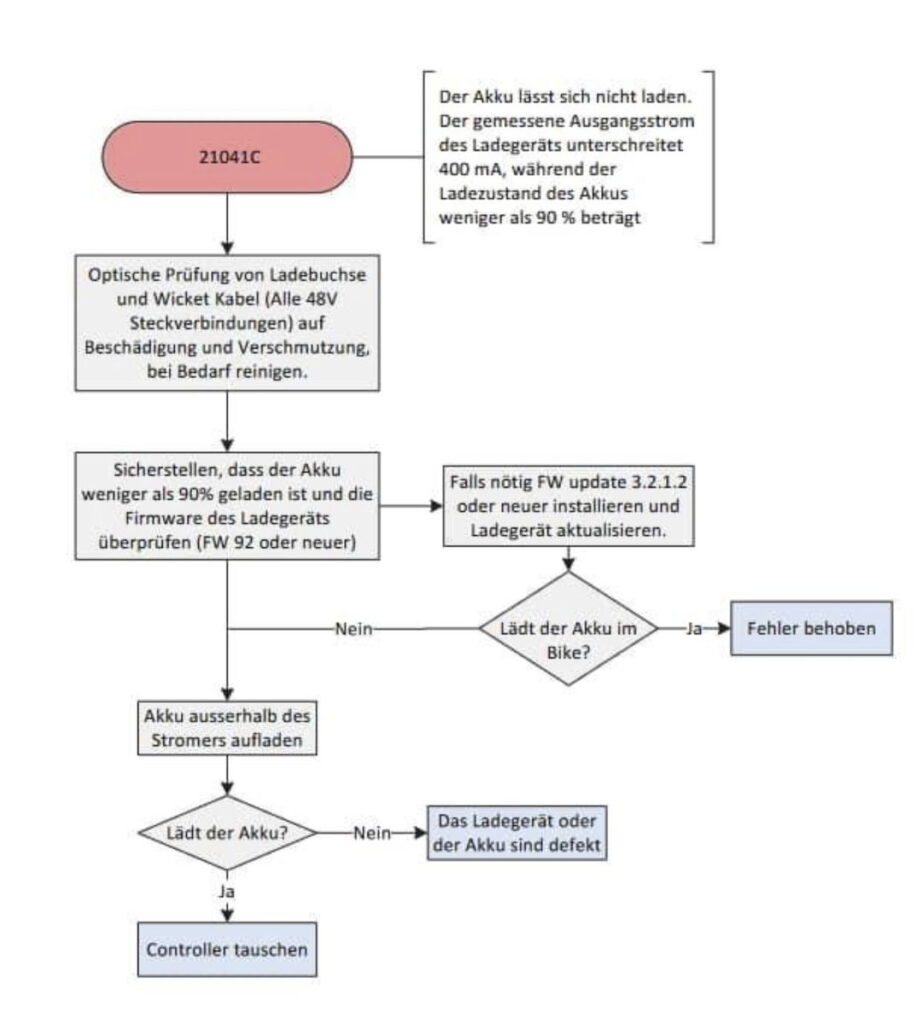
Status messages - symbols
The Omni displays status displays, notes and, in the event of faults, warning or error messages and/or error codes.
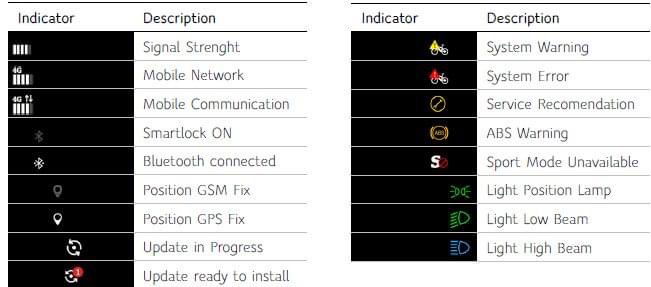
See also OMNI / DISPLAY V1, V1.1 - ,Omni symbols‘
Notes
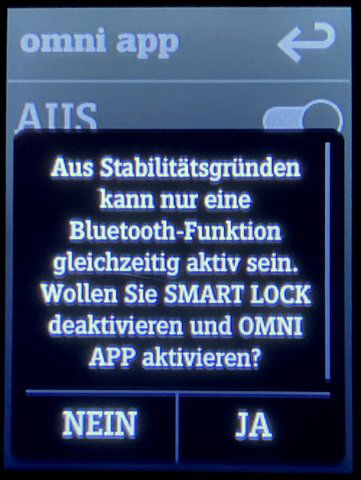
Sometimes the Omni also displays hints to help you with your actions. It is a kind of mini-help.
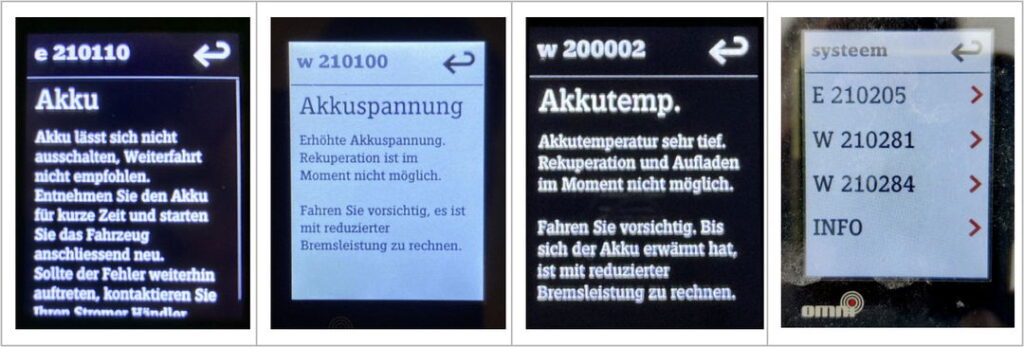
Warning and error messages
While notes in the Omni are often self-explanatory and suggest a possible solution or procedure, this is not the case with stand-alone error messages. E...... (Error), W...... (Warning) or hex codes such as 0x100747 are not always the case.
Error code table
If only a cryptic numerical code appears, this is no help for the Stromer user and says nothing about the cause of the problem. Unfortunately, Stromer does not provide a list of error codes with a description.
In the following Error code table I have compiled error codes from various sources. They indicate what the error code can mean, how it came about and sometimes also the cause and solution.
Analyze error messages
The fault memory
Error messages are saved and can be accessed via the SERVICE MENU > ERROR LIST can be called up.
There are two types of error.
Permanent errors: They remain in the error list
Fleeting errors: Errors that are stored in the error memory but are deleted after a restart.
One such ‚transient‘ error is E 210110, for example, which indicates that the 48 V output on the battery cannot be switched off. If you restart and the check routine runs without errors, the error is deleted.
Warning messages: They disappear again once they have been rectified.
If the yellow warning triangle appears during a long ascent, this is the engine temperature warning. This is displayed when the motor has reached 135/140 °C (ST3). At 150 °C, the Stromer switches off and the engine must be allowed to cool down. The warning triangle disappears again.
W 200002 is another such message. A battery temperature that is too high is reported here. If this drops again, the warning disappears.
Check components
As the owner of the Stromer:
Error messages always have a cause. You can find the cause yourself using the System Integration Test (SIT) determine...
> See ELEKTRIK / ELEKTRONIK - Testing / Checking - ‚SIT (Test Runner) - Testing components'
How does the Stromer mechanic proceed?
1) He knows in advance what is causing the fault and repairs it.
2) If he does not know, he will open the service menu, consult the fault memory in the service menu and run the Test Runner if necessary.
Stromer provides dealers with detailed fault flow diagrams for fault analysis. These make it possible to determine the faulty component using a process of elimination.